AutoCAD
Gain Fundamental Desing Tool with Industry-Standard 2D Drafting
INTRODUCTION TO AutoCAD
This short course aims to bridge the gap between beginner and advanced levels, providing students with a foundational understanding of AutoCAD 2D, a powerful computer-aided design (CAD) software. Its well-structured stages guide students in producing professional drawings and developing a comprehensive understanding.
| Subject | AutoCAD |
| Duration | 12 sessions (18 Hours) 2 Days/week |
| Study Time | 1.5 hours/session |
| Study Form | In physical classes |
What You'll Learn
-
Understand the AutoCAD interface and Tools proficiently and effectively.
-
Know how to draw accurate 2D architectural plans.
-
Be able to use the essential and necessary Commands for drafting.
-
Be skilled in organizing Layers, Blocks, and Annotations clearly.
-
Prepare documents for Printing and various Presentations.
-
Learn to create Floor plans, Elevations, Sections, and Detailed drawings for projects.
Who Should Attend?
-
Architecture Students
-
Interior Design Students
-
Highschool Graudated
-
Junior architects
-
Urban design students
-
Freelancer
-
Draftman
-
Real Estate Agency
-
Architecture and design passionate

Course Syllabus
Comprehensive session-by-session breakdown
Foundations & Precision Drafting
Introduction: History, Orientation and Drawing Interface
Draw Tools
Create geometric primitives
Modify Tools & Block Tools
Create complex shapes, and a room layout
Annotation Tools & Layers Tools
Understanding about Hatch, Dimension, Annotations and Layered Template
Ground Floor Plan
Using AD Academy drawing templates
First Floor Plan
In-depth drawing techniques
Roof Plan
Roof projection from GF & 1F
Masterplan
Engage drafting creativity and design
Section
Understanding section cuts
Elevation
Understanding elevation with aesthetic drawing
Work Submission
Preparing drawings for plotting and printing
Experience real construction work drawing
Review, Revise and Reflect
Course Pricing
Single Course Registration
What Will You Build?
Apply what you learn by working on industry-relevant projects. Build a portfolio that demonstrates your skills to future employers.
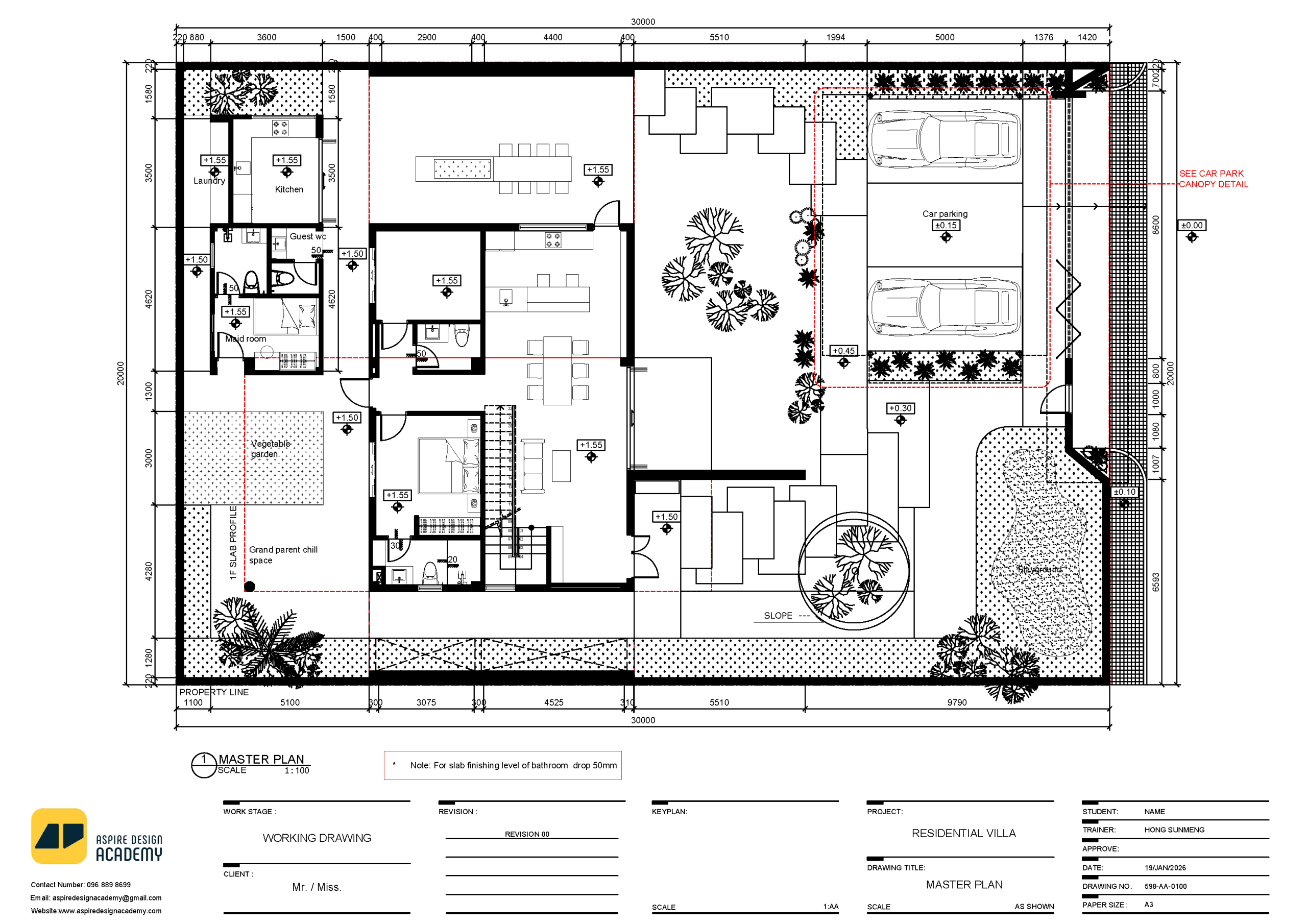
Site Plan
Student will learn how to create a detailed top-view drawing that shows the overall layout of a project site. It includes essential elements such as property boundaries, building footprints, roads, walkways, parking areas, landscaping, drainage, and utilities.
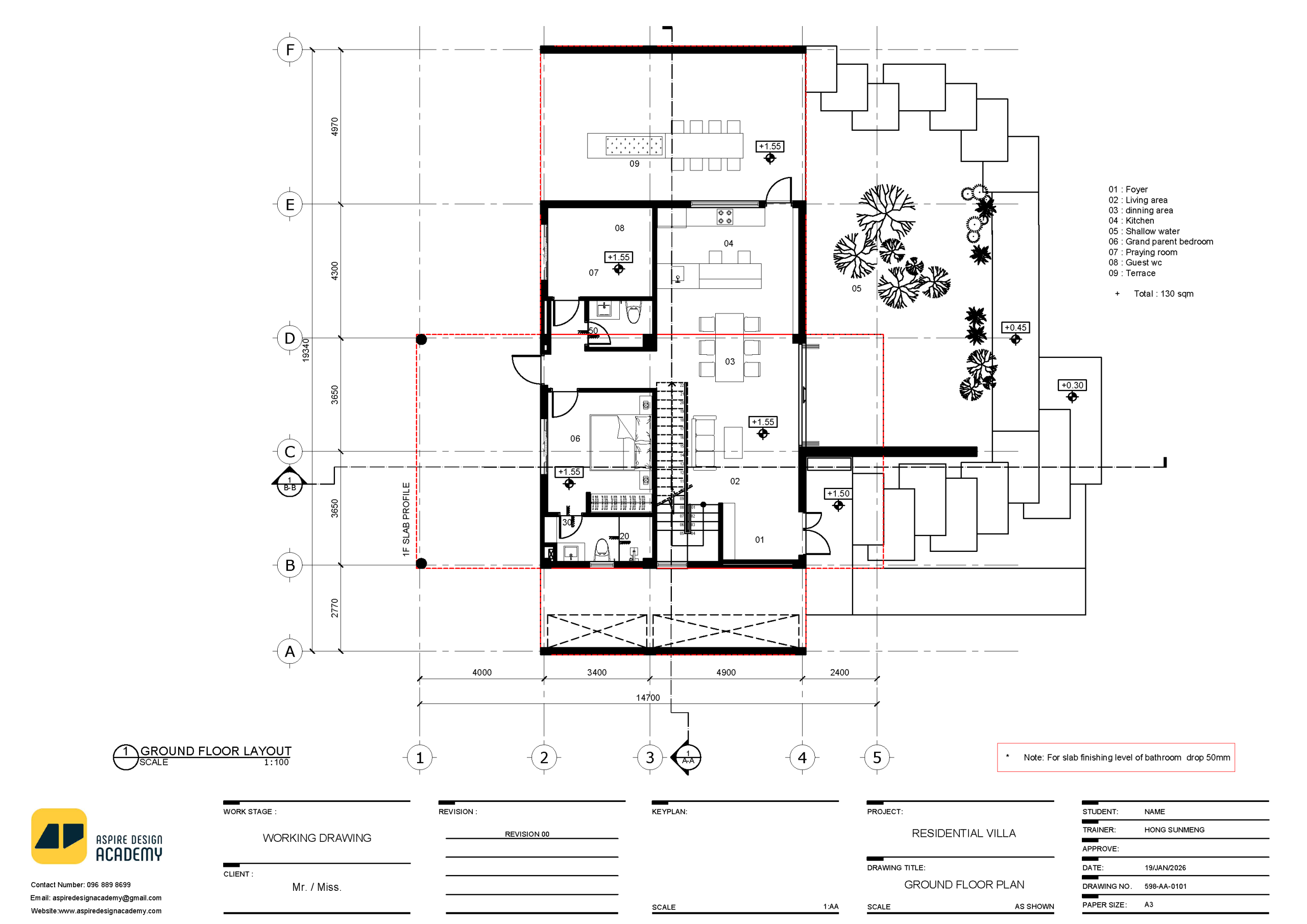
Floor Plan
Student will learn how to create a detailed top-view drawing that shows the layout of rooms, walls, doors, windows, and furniture within a building. It represents the spatial organization and relationship between different areas, helping designers and builders understand how people will move and use the space.
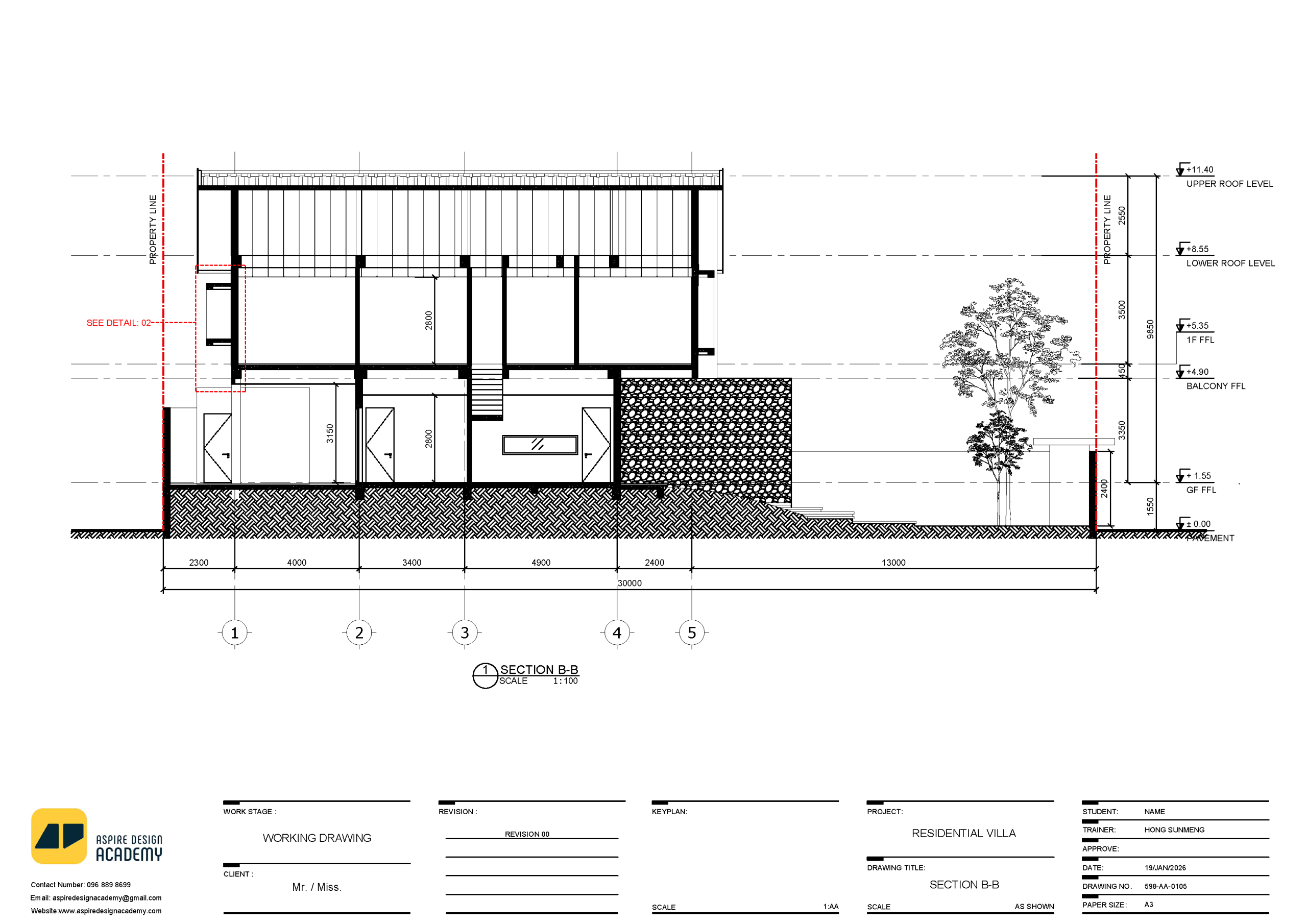
Section Drawing
Student will learn the process of creating a cut-through view of a building to show the internal structure and relationship between floors, walls, stairs, and other elements. It helps visualize how different components connect vertically and how spaces are organized inside the building.
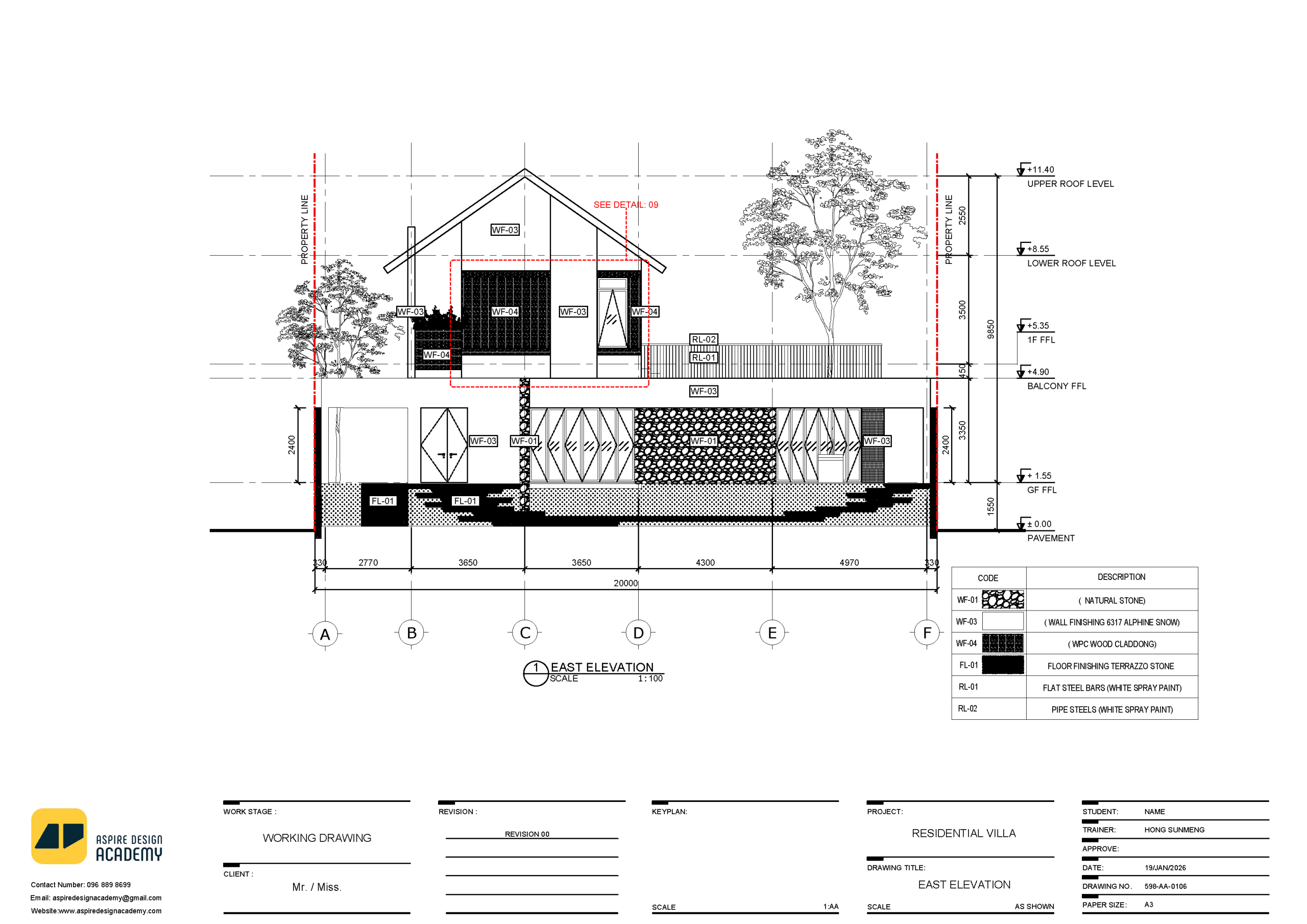
Elevation Drawing
Student will learn drafting is the process of creating a flat, front-facing view of a building’s exterior or interior walls. It shows the design appearance, height, materials, openings, and architectural details such as doors, windows, and finishes.
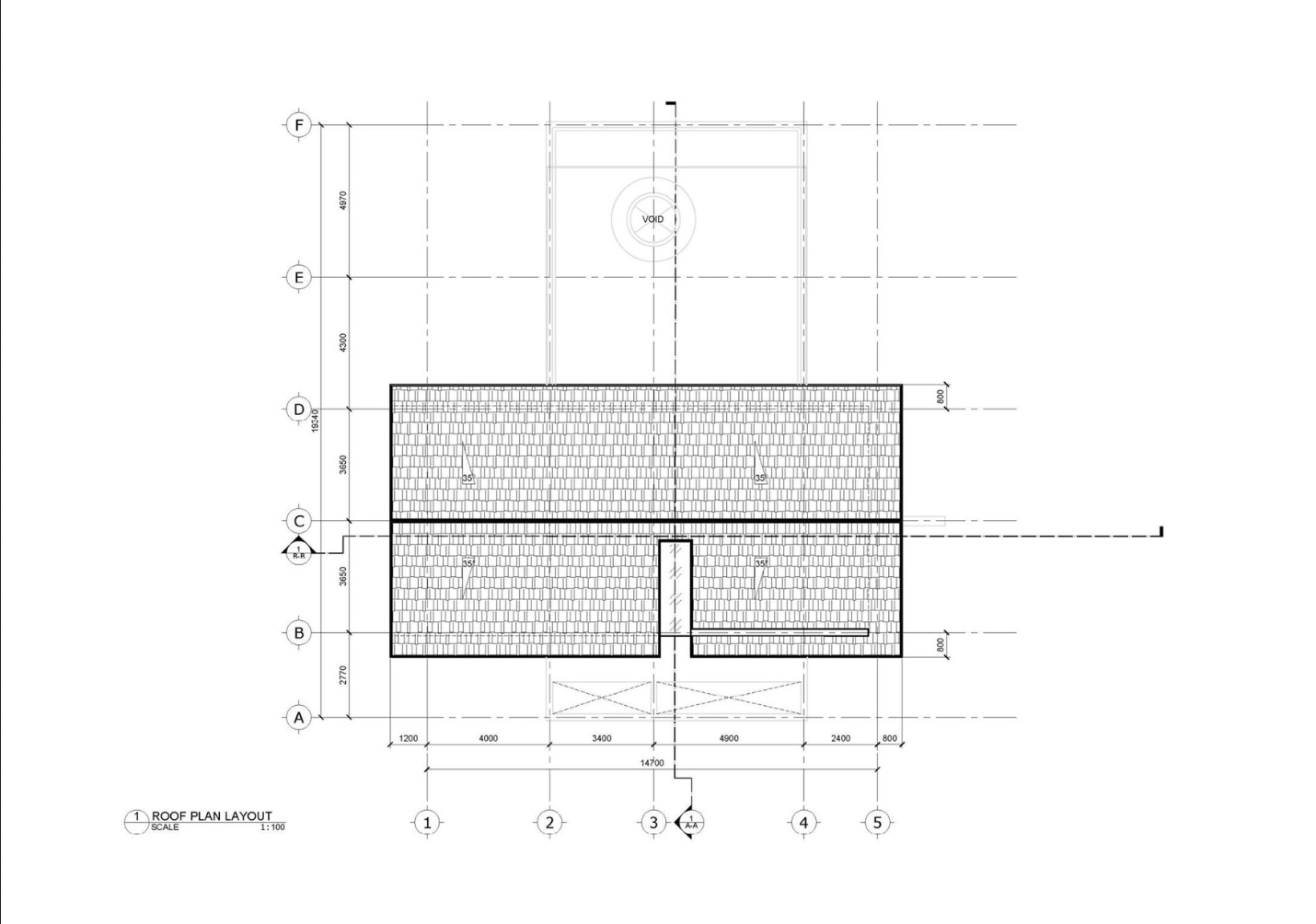
Roof Plan Layout
Roof plan drafting is the process of creating a top-view drawing that shows the shape, slope, structure, and details of a building’s roof. It includes elements such as ridges, valleys, gutters, slopes, drainage points, and roofing materials.
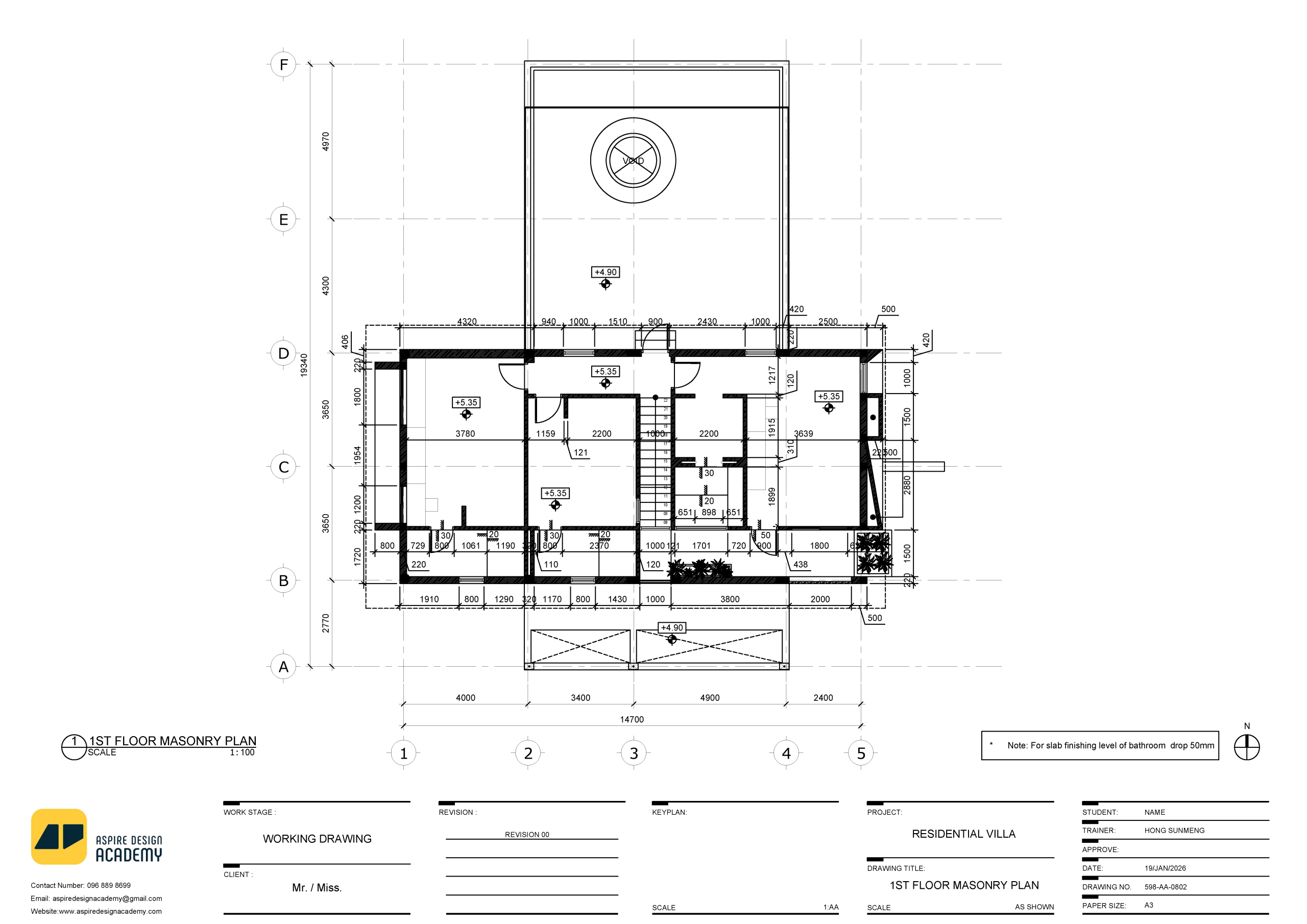
Dimension Drawing
Student will learn process of adding accurate measurements to architectural drawings to show the exact size, distance, and placement of elements within a design. It helps builders and engineers understand how each part of the project should be positioned and constructed.
Career Opportunities
Roles you can pursue after completing this program